
Store Visit Report Template: Free Format, 3 Examples, a 10-Point Checklist and an Email Sample
A one-screen format for checking a store, an Excel file that scores every visit out of 10, three filled-in examples, and the email to send the store manager afterwards.
Aisle 7, 10:05 a.m. Your 500 ml bottles should be at eye level, three facings wide. Instead there’s a gap, a price tag for a product that isn’t there, and a rival’s display where yours stood last week. The store manager is “in a meeting”.
(The store manager is always in a meeting. Possibly the same one, since 2019.) A store visit report template turns that walk down the aisle into something your manager can act on: what was on the shelf, what wasn’t, what you fixed before you left, and what still needs someone else. It’s the shelf-side cousin of our sales visit report template, which covers the conversation with the buyer.
Right, the useful part. Below you’ll find a template to copy, an Excel file that scores each visit out of 10, a 10-point store visit checklist, three filled-in examples (an FMCG rep, a merchandiser and a retail area manager), and an email sample for the store manager afterwards.
What is a store visit report?
A store visit report is a structured record of what a field rep, merchandiser or manager found in a retail store: product availability, facings and shelf position, prices, promotions and displays, competitor activity, what was fixed on the spot and what still needs follow-up. Brands use it to protect their sales on the shelf. Retail chains use it to check store standards.
Empty shelves are more common than they look. A worldwide study published in 2002 by the Food Marketing Institute, the Grocery Manufacturers of America and CIES, covering 661 retail outlets and 71,000 shoppers in 29 countries, put the average out-of-stock rate at 8.3%. A quarter of those out-of-stocks came from poor shelf management. When shoppers couldn’t find a product, 31% said they’d go to another store and 26% would buy a different brand.
The numbers are old, but the point hasn’t aged: a regular store visit is how a brand finds the gap before the shopper does, and the report is how anyone else finds out about it.
Two kinds of store visit (and which one this is for)
Most store visit templates online are written for one of two very different jobs:
- Brand side: FMCG sales reps, merchandisers and trade marketers visiting stores they don’t own. They check availability, facings, prices, promotions, displays and competitors, and often take an order.
- Retailer side: area and district managers visiting their own stores. They check sales against target, staffing, store standards, health and safety, and customer service.
The template below is built for the brand side, because that’s where most free templates fall short. Area managers can use the same structure and swap in store standards; Example 3 shows how.
The store visit report template
Copy this into your phone’s notes app or a WhatsApp message to yourself. The spreadsheet version has the same fields as columns, one row per visit, with the checklist built in.
STORE VISIT REPORT

Date, time in / out:
Visited by:
Store (name, branch, area):
Store contact met (name, role):
Visit purpose: Routine call / Promo check / New listing / Complaint / Audit

AVAILABILITY
Out of stock on the shelf:
In the stockroom but not on the shelf:

SHELF AND PRICE
Facings vs agreed:
Shelf position (eye level / top / bottom):
Shelf price vs agreed price:
Price tags missing or wrong:

PROMOTION AND DISPLAY
Promotion running as agreed?
Display / POSM in place?
Photos (before and after):

COMPETITORS
Promotions, prices, displays, new products:

ACTIONS
Fixed on the spot:
Follow-up (what, who, by when):
Order taken (items, value):

Score (out of 10):
Note for my manager:
That’s the template. If you have six more stores before lunch, take it and go. If you’re setting this up for a team, here’s what each field is for.
What goes in each field, and why
| Field | What to write | Why it matters |
|---|---|---|
| Date, time in and out | When you arrived and left. | Proves the visit and shows how long each store really takes, which matters when you plan a route. |
| Store and contact met | Store name, branch and area, plus the name and role of the person you spoke to. | The supervisor who promised to fix the price tag is the person you ask about it next time. |
| Visit purpose | One option from a short list: routine call, promo check, new listing, complaint, audit. | A promo check and a routine call shouldn’t be judged on the same things. |
| Out of stock on the shelf | Each product missing from the shelf when a shopper would look for it. | An empty shelf is a sale lost today, often to a competitor. |
| In the stockroom, not on the shelf | Stock that’s in the building but not where shoppers can reach it. | The easiest out-of-stock to fix: often five minutes and a friendly word with the stockroom. |
| Facings and shelf position | How many facings, against the number agreed, and which shelf. | Facings and eye level are what the brand pays for in listing fees and promotions. |
| Shelf price and price tags | The price on the shelf next to the agreed price, and any missing or wrong tags. | A promotion with the wrong price on the shelf is a promotion nobody notices. |
| Promotion, display, photos | Whether the promotion and displays are as agreed, with photos from where a shopper would stand. | Photos settle disputes with the store and show trade marketing what actually got built. |
| Competitors | Promotions, prices, displays and new products you saw from other brands. | Across a team, these lines are the cheapest market research you’ll get. |
| Fixed on the spot | What you sorted before you left. | Shows the value of the visit, and stops the same problem being reported as new next week. |
| Follow-up, owner, date | What still needs doing, who will do it, and by when. | Most store problems are fixed by someone at the store. Name them and agree the date. |
| Score and manager note | The checklist score out of 10, and anything your manager should act on. | One number per visit makes a store’s trend obvious. The note is where patterns get flagged. |
Store visit report format: 5 rules that make it useful
1. Walk the shelf before you talk to anyone
Go to the aisle first, the way a shopper would. Once you’ve spoken to the store manager, you’ll see the shelf through their explanation. The report should start with what a shopper would have found at 10 a.m., not with what the stockroom says should be there.
2. Record what you found, then what you fixed
Fixing the shelf is the job. Reporting only the tidy result hides the problem. If you restock from the stockroom every week and never write down that the stock was in the back, nobody learns the store has a replenishment problem, and nobody fixes it.
3. Photos from where the shopper stands
Take one photo before you touch anything and one after, from the same spot. Shoot from the aisle, not up close: the question is what a shopper sees. Photos settle arguments about displays faster than any description.
4. Numbers, not adjectives
“Shelf looks fine” can’t be compared with anything. “2 facings instead of 3” and “₦1,200 on the shelf, ₦1,150 agreed” can, and they tell your manager exactly what to raise with the store’s head office.
5. Every follow-up gets an owner and a date
Most store problems are fixed by the store: the pricing team, the stockroom, the supervisor. Write down who agreed to do it and by when, then check it on your next visit. A follow-up without a name is a wish.
10-point store visit checklist
Run the same ten checks on every visit. Mark each one Y, N or N/A. The score is the passes divided by the checks that applied, times 10, so a store isn’t marked down for a promotion that isn’t running. The Excel template does the maths and colours scores of 5 or less red.
| # | Check | What passes |
|---|---|---|
| 1 | Core range on the shelf | Every core product is on the shelf, with no gaps. |
| 2 | Nothing stuck in the stockroom | No product in the back that should be out front. |
| 3 | Facings as agreed | The number of facings matches the planogram or the agreement with the store. |
| 4 | Shelf position as agreed | Products are on the agreed shelf, with hero products at eye level. |
| 5 | Shelf price correct | The shelf price matches the agreed or promotional price. |
| 6 | Price tags correct | Every product has a tag, and it’s the right one. |
| 7 | Promotion running as agreed | Price, mechanic and dates as agreed. N/A if there’s no promotion. |
| 8 | Display and POSM in place | Stands, wobblers and posters are up, clean and undamaged. |
| 9 | In date, stock rotated | No expired stock, and the oldest stock is at the front. |
| 10 | Next order agreed | The next order or delivery is agreed. N/A if ordering isn’t your job. |
Check 3 assumes the store has a planogram or an agreed number of facings. If it doesn’t, record what you found anyway: after a few visits you’ll know what “normal” looks like for that store.
Area managers: keep checks 1, 2, 6 and 9, and swap the rest for store standards: cleanliness, staffing against the rota, till and cash procedures, health and safety, and sales against target.
3 store visit report examples
Here’s the template filled in for three different store visits. The stores and people are made up, but the problems are the ones field teams find every week. Notice that each one separates what was found from what was fixed, and every follow-up has a name and a date.
Example 1FMCG brand rep, supermarket
A beverage brand’s sales rep on a routine call and promo check in Lagos.
- Visit
- Mon 26 Oct, 10:05–10:50 · Bola Supermarket, Allen Avenue, Ikeja
- Met
- Mr. Okon, floor supervisor
- Purpose
- Routine call and promo check
- Availability
- 500 ml gone from the shelf, all flavours. 6 cartons sitting in the stockroom.
- Shelf
- 2 facings instead of 3, moved from eye level to the bottom shelf
- Price
- ₦1,200 on the shelf. The agreed promo price is ₦1,150.
- Promo and display
- Buy-2 promotion running, but the wobblers were missing
- Competitors
- Rival 500 ml at ₦1,050, with a new gondola-end display
- Fixed on the spot
- Moved 2 cartons to the shelf (back to 3 facings). Replaced the wobblers.
- Follow-up
- Shelf price to ₦1,150: store pricing team, by Tue 27 Oct. Back to eye level: Mr. Okon, by Wed 28 Oct.
- Order
- 15 cartons, ₦135,000, for Thursday delivery
- Score
- 4/10. Rechecked on Thu 29 Oct after delivery: 9/10.
- Manager note
- Rival gondola ends at 3 Ikeja supermarkets this week.
Example 2Merchandiser, convenience store
A snack brand’s merchandiser on her third of six stores before noon in Nairobi.
- Visit
- Tue 27 Oct, 09:20–09:55 · Parklands Fresh Mart, Nairobi
- Met
- Grace, shift supervisor
- Purpose
- Routine merchandising
- Availability
- All 8 lines on the shelf. Nothing waiting in the stockroom.
- Shelf and price
- 4 facings at eye level, as agreed. Prices and tags correct.
- Promo and display
- New-flavour price promotion running as agreed. Floor stand damaged.
- Freshness
- Oldest stock behind the new delivery; 2 packs with a best-before of 5 Nov
- Competitors
- A rival’s new flavour on 2 facings, KSh 10 cheaper
- Fixed on the spot
- Rotated stock, oldest to the front. Flagged the 2 near-date packs to Grace for markdown.
- Follow-up
- Replacement floor stand: trade marketing, by Fri 30 Oct
- Score
- 8/10 (7 of 9 checks passed; orders go through the distributor, so that check is N/A)
- Manager note
- The rival’s new flavour is already in 4 of my 6 stores.
Example 3Retail area manager, own store
An area manager’s monthly visit to one of her convenience stores in Manchester.
- Visit
- Wed 28 Oct, 14:00–15:30 · CityFresh Local, Deansgate, Manchester
- Met
- Dan, store manager
- Purpose
- Monthly area manager visit
- Sales
- £18,400 week to date against a £20,000 target (92%)
- Availability
- Milk and bread missing: 2 of the top 20 lines. The morning bread delivery was still in the back room at 2 p.m.
- Standards
- 3 shelf-edge labels missing. Front of store clean and well lit.
- Safety
- Roll cages blocking the fire exit. Cleared on the spot.
- Staffing
- Saturday rota has 2 of 3 shifts covered
- Score
- 7/10 (6 of 9 checks passed)
- Follow-up
- Retrain the team on back-room replenishment: Dan, by Fri 6 Nov. Approve Saturday overtime: me, by Thu 29 Oct.
- Manager note
- The gaps come from replenishment, not ordering. The stock is in the building.
Example 1 also shows why the score is worth keeping. Monday’s 4/10 became 9/10 on Thursday, after the delivery and the price fix. One number per visit makes that kind of turnaround easy to see, and easy to show the store.
Store visit report email sample
The report is for your manager. The store needs something shorter: what you fixed, what they agreed to do, and when you’ll be back. Send it the same day, while the supervisor still remembers saying yes. Here’s the email Chidi sent after Example 1:
Subject: Store visit, Bola Supermarket Allen Avenue, Mon 26 Oct: 3 actions agreed

Hi Mr. Okon,

Thanks for your time this morning. Here's what we found and agreed.

Fixed today
- Moved 2 cartons of 500 ml from the stockroom to the shelf (back to 3 facings)
- Replaced the buy-2 promotion wobblers

Agreed actions
1. 500 ml shelf price changed to the promo price of N1,150: your pricing team, by Tue 27 Oct
2. 500 ml back at eye level, bay 4: you, by Wed 28 Oct
3. Order of 15 cartons delivered: our distributor, Thu 29 Oct

I'll be back on Thursday afternoon to check the shelf after the delivery.

Best regards,
Chidi
Field sales, Ikeja
If the email is to your own manager instead, lead with the score and the one thing you need from them, such as a decision on matching a competitor’s price. Attach the photos rather than describing them.
Store visit report template in Excel
The Excel template has four sheets:
- Store visits: one row per visit, with the 10 checks as Y / N / N/A dropdowns and the score calculated for you.
- Store summary: type a store’s name, and its number of visits, average score, latest score and last visit date fill in.
- Checklist: what passes for each check, so everyone scores the same way.
- How to use: the instructions, so they travel with the file.
It comes with the four visits from the examples above filled in, so you can see the formulas working. Delete them and start typing. In Google Sheets, use File → Import and upload the Excel file or the CSV. Here’s the score formula, if you’d rather add it to a sheet of your own (checks in columns I to R):
=IF(COUNTIF(I2:R2,"Y")+COUNTIF(I2:R2,"N")=0,"",
  ROUND(10*COUNTIF(I2:R2,"Y")/(COUNTIF(I2:R2,"Y")+COUNTIF(I2:R2,"N")),0))
Using it as a market visit report
In FMCG, a market visit usually means walking a whole trading area and checking a dozen outlets in a morning, rather than one store in depth. The same sheet works: one row per outlet, fewer free-text notes, and a summary at the end of the morning:
- Outlets visited, and how many had your product on the shelf
- Average shelf price against the recommended retail price
- Competitor promotions seen, and in how many outlets
- The one thing to escalate
For the day’s totals across stores, visits and orders, pair it with our daily sales report template.
The 30-second car park method
The report gets skipped for the same reason every time: there’s another store in twenty minutes, and typing fifteen fields with a trolley bay for a desk isn’t happening. So don’t type. Take the before and after photos in the aisle, then record 30 seconds in the car park, in the same order as the template: what was missing, what you fixed, what the store agreed to, the competitor, the order.
Here’s Example 1, as Chidi would say it:
Bola Supermarket, Allen Avenue, Monday morning. Met Mr. Okon. Five hundred ml was gone from the shelf, but six cartons were in the stockroom. Moved two out, back to three facings. Shelf price says twelve hundred, should be eleven-fifty on the promo; their pricing team fixes it by Tuesday. Okon moves us back to eye level by Wednesday. Rival has a new gondola end at ten-fifty. Order: fifteen cartons, a hundred and thirty-five thousand naira, Thursday delivery.
That’s every field your manager needs, in about the time it takes to find your car keys. Type it up later, or let software do the sorting.
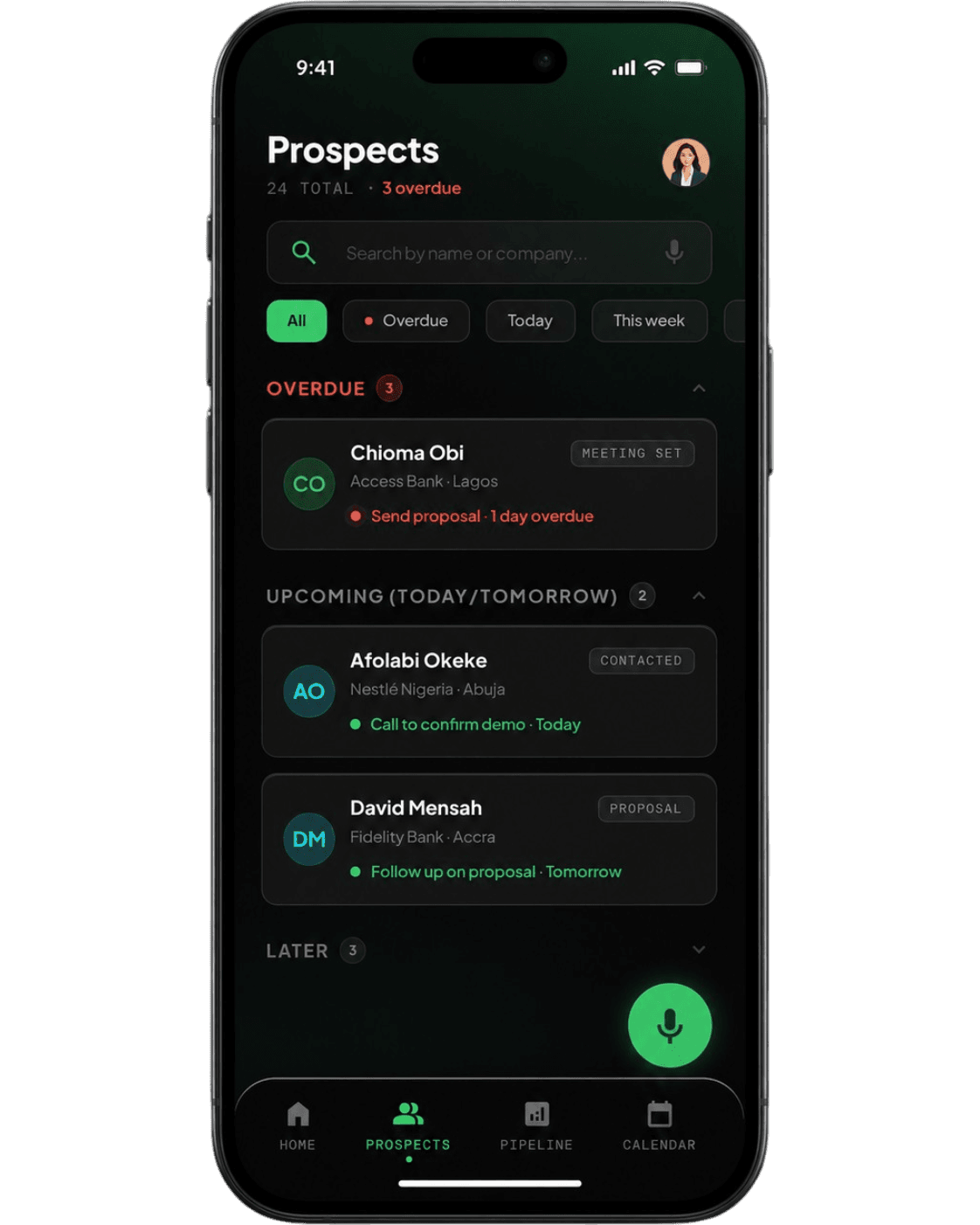
That’s what we’re building Closum for. You record a short update after each visit, and it pulls out the follow-ups, owners, dates, order value and next step for you to check and save. Thursday’s re-check is waiting for you on Thursday morning. See how it works.
Store visit report FAQ
What is a store visit report?
A structured record of what a field rep, merchandiser or manager found in a retail store: product availability, facings and shelf position, prices, promotions and displays, competitor activity, what was fixed on the spot, and what needs follow-up, with an owner and a date.
What should a store visit report include?
The store, date and person met; out-of-stocks on the shelf and stock stuck in the stockroom; facings, shelf position and prices against what was agreed; promotion and display status with photos; competitor activity; fixes made on the spot; follow-ups with owners and dates; and a score from the same checklist every visit.
What’s the difference between a store visit report and a sales visit report?
A store visit report is about the condition of the store and the shelf. A sales visit report is about the conversation with the buyer: their needs, objections, the deal and the next step. Many FMCG reps do both on the same call. Our sales visit report template covers the second.
What is a market visit report?
In FMCG, a market visit usually means walking a whole trading area and checking several outlets, rather than one store. Use the same template with one row per outlet, then summarise the area: outlets visited, how many had the product, average shelf price against the recommended price, and competitor activity.
How do you score a store visit?
Use the same 10 checks every time. Mark each Y, N or N/A, then divide the passes by the checks that applied and multiply by 10. A store isn’t penalised for a promotion that isn’t running. The Excel template calculates it for you and colours low scores red.
Is there an app for store visit reports?
Retail audit apps handle checklists and photos. Voice-first CRMs like Closum handle the part reps skip: you record a short update after the visit, and it pulls out the follow-ups, dates, order value and next step. Closum is in early access now.